
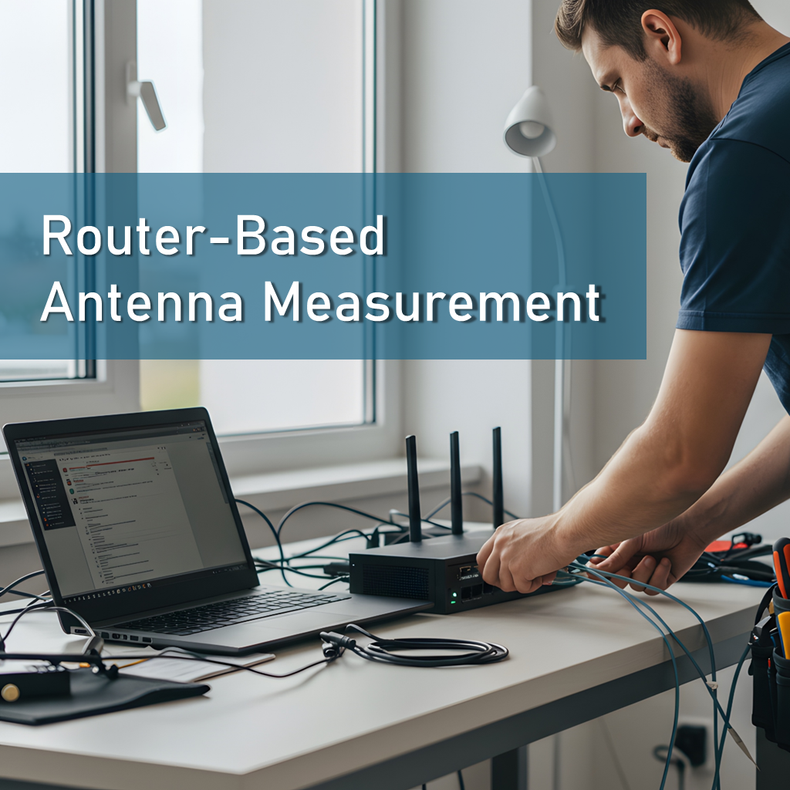
A router’s administrative interface is one of the most overlooked tools for evaluating antenna performance. While lab instruments provide the highest measurement accuracy, the router sitting at the heart of a deployment already generates a rich set of real-world cellular diagnostics that can reveal how effectively an antenna is performing under actual RF conditions. These metrics allow you to validate link budget gains, assess noise and interference, and determine whether an antenna is improving stability or throughput. At AG Antenna, we design antennas that deliver consistent, measurable improvements at the device level and the network level, making these metrics especially valuable for system integrators and network engineers.
Understanding the Key RF Metrics Reported by Routers:
RSSI and RSRP
RSSI measures the wideband received power across all channels and interference sources. Because it aggregates noise, interference, and desired energy into a single value, it is not the preferred metric for LTE or 5G diagnostics. RSRP offers a more precise measurement by reporting the average power of the reference signals transmitted from the cell. It correlates directly with the quality of the RF path and the effectiveness of an external antenna. Higher RSRP values indicate improved link budget and typically produce better network stability, especially on mid-band and low-band LTE and NR channels.
RSRQ
RSRQ provides insight into channel quality by relating signal power to overall interference and network load. A well-performing antenna tends to reduce the variability of RSRQ, stabilizing performance even in congested RF environments. RSRQ degradation can indicate high tower utilization, unfavorable antenna placement, or misalignment during directional testing.
SINR
SINR compares the desired signal against noise and interference. It is often the clearest predictor of throughput because even modest SINR improvements can elevate modulation schemes, allowing the modem to reach higher spectral efficiency. Strong gain antennas and optimized placement tend to raise SINR by improving directional focus or reducing reflections and multipath effects. SINR performance varies across bands and is particularly sensitive in mid-band 5G NR deployments.
Accessing the Router Interface or Admin Panel:
Locating the Router’s Login Page
Most enterprise routers use a gateway address such as 192.168.0.1, 192.168.1.1, or 192.168.50.1. Credentials vary by manufacturer, but many routers use default logins until they are secured. In test environments, it is essential to protect configuration access while still permitting RF diagnostics. Credentials for devices like Cradlepoint, Digi, Peplink, Sierra Wireless, and BEC Technologies are typically listed in the device documentation or on the device chassis.
Navigating to Cellular Diagnostics
While each vendor arranges menu structures differently, nearly every enterprise router includes a diagnostics panel labeled Cellular, WAN, Modem Details, or Signal Metrics. These panels display RSRP, RSRQ, RSSI, SINR, band information, channel numbers, and often modem state indicators like PCC and SCC status for aggregated links.
Real-Time Versus Polled Data
Some routers update their cellular metrics once every second, while others refresh at slower intervals. During antenna testing, real-time or near real-time reporting is ideal because movement, rotation, or elevation of a test antenna produces rapid changes in the reported values. Understanding the update frequency ensures more accurate interpretation of results.
Preparing for Accurate Antenna Testing:
Isolating Variables
A controlled test requires minimizing variables such as cable length, connector loss, and MIMO port mismatches. Using inconsistent ports or high-loss cable can mask the true performance of an antenna. Each element in the RF chain should be verified before testing begins.
Environmental Control
Building materials, reflections, and RF shadowing can drastically affect results. Indoor testing often introduces multipath and attenuation that distort the antenna’s true performance. Outdoor or rooftop environments produce cleaner, more consistent measurements and allow directional antennas to be aligned accurately.
Router Modem Behavior
Carrier aggregation, band switching, and handover events can interfere with clean data collection. Many routers allow users to lock the modem to a specific band or channel, which helps stabilize metrics while evaluating antennas on different frequencies.
Step-by-Step Method for Testing an Antenna Using Router RF Metrics:
Baseline Measurement
Before installing the test antenna, record existing RSRP, RSRQ, SINR, and throughput values using the router’s stock antennas or the currently deployed antenna. These baseline readings are essential for comparing performance changes.
Installing and Positioning the Test Antenna
Ensure the correct MIMO ports are used and the antenna is positioned in accordance with its intended design. Omnidirectional antennas benefit from elevation and clear line-of-sight, while directional antennas require precise aiming toward the serving cell.
Recording Real-Time Changes
After swapping antennas, observe how the router’s metrics shift as the antenna stabilizes. Directional antennas will show measurable changes when rotated or tilted. Let values settle before recording data to avoid capturing transient fluctuations.
Evaluating Multiple Bands
Modern routers operate across numerous LTE and 5G bands. Test the antenna’s performance across the active bands to confirm consistent results. Different frequency bands interact with antenna gain and pattern differently because of wavelength-driven propagation differences.
Throughput Validation
Once RF metrics are recorded, validate performance using controlled speed tests. Improvements in SINR often enable higher modulation schemes, leading to increased throughput even when RSRP improvements are modest.
Interpreting the Results:
Understanding dB Improvements
Improved RSRP indicates stronger signal levels and a healthier link budget. However, stronger dB values alone do not guarantee performance gains. Many real-world installations see greater improvements from SINR gains than from raw power increases.
Assessing SINR Variability
SINR directly affects throughput. A stable and high SINR often enables higher QAM modulation layers, increasing data rates and reducing retransmission. If SINR fluctuates during testing, it can indicate interference, poor placement, or misalignment.
Detecting Cable or Hardware Loss
If results are worse than expected, excessive cable loss, connector damage, or ground-plane issues may be present. Consistent RSRP losses across bands can indicate coaxial degradation, while inconsistent or unstable readings may point toward hardware issues.
Practical Use Cases:
Fixed Wireless Deployments
Performing onsite signal diagnostics ensures the antenna is positioned to maximize link reliability for branch networks, rural broadband, and industrial facilities.
Industrial IoT and M2M Systems
Field devices depend on stable uplink and downlink performance. Router-based RF metrics help engineers validate antenna performance at scale across numerous devices.
Mobile and Transportation Systems
Vehicular deployments introduce challenges such as Doppler shift and continuous tower handoffs. Router diagnostics allow engineers to verify that antennas maintain performance despite mobility effects.
How AG Antenna Supports Precise RF Validation:
AG Antenna develops precision-tuned antennas and cable assemblies engineered for stable impedance, optimized gain profiles, and consistent performance across complex RF environments. Our focus on controlled manufacturing and antenna testing ensures measurable improvements in field-deployed systems. To support deeper RF research, AG Antenna provides additional technical resources for engineers working with advanced deployments.
What This Means for You:
Testing antenna performance through your router’s admin panel provides highly actionable insight into real-world RF behavior. By understanding RSRP, RSRQ, SINR, and other modem-level metrics, you can validate antenna performance with clarity and precision. When paired with properly engineered antennas from AG Antenna, these measurements allow you to optimize installations, increase throughput, and achieve stable, reliable connectivity across demanding applications.